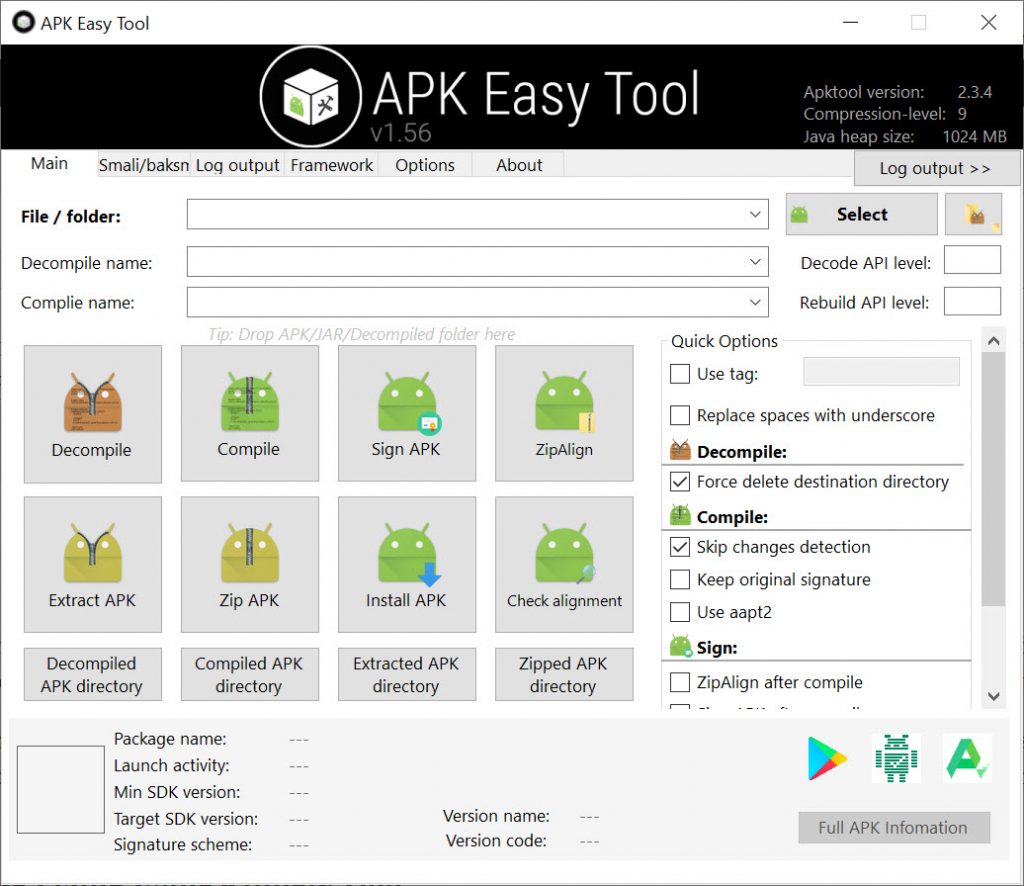
This tool is signed so the crappy 360 anti-virus should not detect it as a false positive malware
Requirements:
- Windows vista or newer (This tool will not work for Windows XP)
- .NET Framework 4.5.2 or newer
Features:
- Apktool.jar version selections
- Decompile APK
- Compile APK
- Sign APK after compile
- Sign seletected APK (It will clone the selected APK, and sign it)
- Sign compiled APK (If you forgot to sign your compiled APK, you can sign it)
- SignAPK (signapk.jar v1.0)
- Remember path when closed (config will reset if EXE file was moved to somewere else)
- Framework installer (uses apktool.jar's commands)
- Logs tab
- Drag and drop file support
- Full options of decompile and compile
- Cancel button in waiting dialog box
- Clear logs when exit
- Allow path changes in textbox
- Java heap option. Default 512m
- ZipAlign
- Options to rename the apk file
- Options to select apktool version.
- Tooltips
and more...
How to use:
1. Download the EXE file, place it somewhere, and open it (If you open it, the resources required for this tool, will be extracted to your personal documents)
2. Set the decompile and compile directory
3. Select the APK file you want to work with
4. Decompile the APK file, and do some work
5. Re-compile APK and Sign, or whatever, when you are done.
You do not need to select APK and set the directory if you do drag and drop actions.
Framework are for ROM developers and System App modder only
It works the same way as you did in the command lines
Credits:
Evildog1 A.K.A iAndroHacker (Creator of this tool)
ibotpeaches (Creator of apktool.jar)
Android SignAPK (Creator of signapk.jar)
Версия: 1.60 Final
Системные требования: Windows Vista +
Язык: English
Разработчик: evildog1




![Eternity OS Vibe Mod [ZTE V967S]](/_ld/0/66837649.png)
![Cyanogen Mod 11 Beta [ZTE V967S]](/_ld/0/63482375.png)
![Cyanogenexus v1.0.1 [ZTE V967S]](/_ld/0/05217250.png)
![Eternity OS v2.1 [ZTE V967S]](/_ld/0/00305117.png)
![Android 7 Lite [Prestigio Muze 3708 3G]](/_ld/0/91468125.png)
![Droid Re-Generation [ZTE V967S]](/_ld/0/91669278.png)
![Samsung Galaxy S5 [ZTE V967S]](/_ld/0/53742295.png)
![Color OS v2.0 [ZTE V967S]](/_ld/0/40386535.png)
![Androium v3.6.0 [ZTE V967S]](/_ld/0/60765364.png)
![Melos ROM [ZTE V967S]](/_ld/0/11057663.png)
![CustoMAX v1.1 [ZTE V967S]](/_ld/0/78460819.png)
Добавить комментарий